

Table of contents

Creating a website no longer requires advanced programming skills or a large budget. Today, several platforms allow beginners, freelancers and small business owners to build an online presence without paying for website creation. However, choosing the right platform and understanding its limitations are essential to getting good results.
If you are wondering how to create a free website, this guide walks you through the entire process, from selecting a website builder to publishing your first pages. You will also learn how to avoid common mistakes, improve your website's visibility and identify when a free solution is no longer enough.
Quick answer: How to create a free website?
To create a free website, choose a free website builder such as Wix, WordPress.com or Google Sites. Create an account, select a template, customize your pages, add relevant content, configure basic SEO settings and publish your website. Most platforms include free hosting, although custom domains and advanced features may require payment.
01What Do You Need Before Creating a Free Website?
Before choosing a platform, take a few minutes to define what you want your website to achieve. The right solution depends on your objectives, audience and the features you expect to use.
For example, a personal portfolio has different requirements from a business website or an online store.
Start by identifying the following elements:
- Website purpose: Decide whether you want to create a blog, portfolio, business website or online store.
- Target audience: Identify the people you want to reach and the information they are looking for.
- Website structure: List the pages you need, such as Home, About, Services and Contact.
- Visual identity: Choose your main colors, fonts, logo and images.
- Website content: Prepare your descriptions, headlines, images and contact information.
You should also think about your future requirements. A simple website may be sufficient initially, but your needs could change as your business grows.
Having a clear plan will make the creation process easier and help you avoid unnecessary redesigns.
02Which Free Website Builder Should You Choose?
A free website builder provides the tools needed to design and publish a website without developing everything from scratch. Most platforms offer ready-made templates, visual editors and hosting services.
However, not every website builder offers the same level of flexibility.
Here are three popular options worth considering.
Website Builder | Best For | Main Advantages | Limitations |
Wix | Small business websites and portfolios | Drag-and-drop editor, customizable templates and visual design tools | Platform branding and restrictions on free plans |
WordPress.com | Blogs and content-focused websites | Content management tools, themes and publishing features | Limited customization and integrations on the free plan |
Google Sites | Simple informational websites | Easy editing, Google integration and straightforward publishing | Limited design flexibility and advanced functionality |
Wix is suitable for beginners who want to build a website visually. Its editor allows users to customize layouts, images, colors and sections without writing code.
WordPress.com is another option, particularly for bloggers and people who regularly publish articles. It offers a hosted environment, themes and a content editor.
Google Sites works well for basic informational websites, internal projects and simple presentations. Its editing interface is straightforward, although it offers fewer advanced design possibilities.
The best choice depends on your project. Before committing, compare storage limits, available templates, domain options, hosting conditions and customization features. Free-plan conditions can change over time, so check the provider's current offer before publishing.
03How to Create a Free Website in 7 Steps
Once you have selected your platform, you can start building your website. The following steps provide a practical process that works for most beginner-friendly website builders.
Step 1: Choose a Website Builder and Create an Account
Visit the official website of your chosen platform and create a free account.
Depending on the service, you may be able to register using your email address or an existing Google account.
After registration, select the type of website you want to create. Some builders ask about your industry, website purpose and preferred design to suggest suitable templates.
Take your time during this stage. Selecting a platform that matches your requirements will make future updates much easier.
Step 2: Select a Website Template
A website template is a pre-designed layout that provides the basic structure of your website.
Most free website builders offer templates for different industries and purposes, including:
- Personal portfolios.
- Business presentation websites.
- Photography websites.
- Blogs and online magazines.
- Restaurant and service websites.
- Landing pages.
Choose a template that matches your content rather than selecting one based only on its appearance.
For instance, a service-based business should prioritize clear service descriptions, contact information and visible call-to-action buttons.
A good template should also provide a logical navigation structure and enough flexibility to adapt the design to your brand.
Step 3: Customize Your Website Design
After choosing a template, personalize its appearance to make the website recognizable and consistent.
Start with the main visual elements:
- Add your logo and brand name.
- Select two or three complementary colors.
- Choose readable fonts.
- Replace demonstration images with relevant visuals.
- Adjust page layouts and section spacing.
- Customize buttons and navigation menus.
Avoid adding too many visual elements. A clean design makes information easier to understand and helps visitors focus on what matters.
You should also maintain consistency between pages. Using the same typography, colors and button styles creates a more professional experience.
Step 4: Create Essential Website Pages
A website should provide visitors with the information they need without making them search through multiple sections.
For a basic business website, start with these essential pages:
Homepage: Introduce your business, explain your main offer and guide visitors toward important sections.
About page: Present your company, experience, values and activities.
Services page: Explain what you offer, who your services are intended for and how customers can benefit.
Contact page: Include your email address, phone number, contact form and other relevant details.
Legal pages: Add the applicable privacy policy, legal notices and other required information depending on your location and activities.
For a blog, you can also create categories to organize articles and help readers find relevant information.
Keep your content clear and specific. Visitors should understand what your website offers within a few seconds of arriving on your homepage.
Step 5: Make Your Website Mobile-Friendly
A website should work properly on smartphones, tablets and desktop computers.
A layout that looks attractive on a large screen may become difficult to navigate on a smaller device. Text can become too small, images may overflow and buttons may be difficult to click.
This is why responsive web design is an essential part of website creation. A responsive website design automatically adapts the layout and content to different screen sizes, improving accessibility and navigation while ensuring a consistent browsing experience across devices.
Check the following elements before publishing:
- Text remains readable on mobile screens.
- Images resize correctly without losing important information.
- Navigation menus work on touchscreens.
- Buttons have sufficient spacing.
- Contact forms remain easy to complete.
- Important information is not hidden or cut off.
A well-structured responsive web design also helps maintain visual consistency and usability, regardless of the device visitors use to access your website.
Testing your website on different devices is important because a responsive preview does not always reveal every display issue.
Step 6: Optimize Your Website for SEO
Publishing a website does not automatically make it visible on Google.
To attract visitors through organic search, you need to apply basic search engine optimization (SEO) practices from the beginning.
Start with these essential actions:
Optimize page titles: Write a unique title for every important page and include the main topic naturally.
Write meta descriptions: Summarize each page in a way that encourages users to click from search results.
Use heading tags correctly: Organize your content with one main H1 and relevant H2 and H3 headings.
Optimize images: Compress image files, use descriptive filenames and write meaningful image alt text.
Create internal links: Connect related pages to help visitors navigate your website and allow search engines to discover your content.
Use relevant keywords: Include the terms your target audience searches for in your headings, descriptions and page content without repeating them excessively.
Improve loading speed: Compress images, avoid unnecessary animations and remove elements that slow down your website.
You should also create a Google Search Console account to monitor indexing, search performance and potential technical issues.
Remember that SEO takes time. A newly published website may need several weeks or months to develop organic visibility, depending on its competition, content quality and authority.
Step 7: Publish and Test Your Website
Once your pages are ready, review the entire website before making it publicly accessible.
Most website builders provide a preview function that allows you to check the design before publishing.
Use this final checklist:
- All pages are complete and accessible.
- Navigation links work correctly.
- Contact forms function properly.
- Images display correctly.
- Text contains no spelling mistakes.
- The website works on mobile and desktop.
- Page titles and meta descriptions are configured.
- Privacy and legal information is available where required.
- The website uses an HTTPS connection.
When everything is ready, click the Publish button.
Your website will then become accessible through the address provided by your platform.
Do not consider publication the end of the process. Review your pages regularly, update outdated information and monitor visitor behavior to identify opportunities for improvement.

04How Much Does It Really Cost to Create a Free Website?
A free website can have no initial creation cost, but that does not necessarily mean every feature will remain free.
Most website builders offer free plans with certain limitations. Understanding these restrictions before starting will help you avoid unexpected expenses.
Here is a comparison of the main cost categories:
Website Component | Free Option | Potential Additional Cost |
Website builder | Free plan available | Premium subscription |
Web hosting | Included with hosted builders | Hosting subscription for self-hosted websites |
Domain name | Platform subdomain | Custom domain registration |
SSL certificate | Often included | Depends on hosting provider |
Website templates | Free templates available | Premium themes or templates |
Storage | Limited free storage | Additional storage |
Website branding | Platform branding may appear | Paid plan to remove branding |
Advanced features | Basic functionality | Paid integrations and additional tools |
For example, WordPress.com provides a free plan with hosting, a WordPress.com subdomain and basic publishing tools. However, a custom domain and additional features require an upgrade.
Similarly, Wix allows users to create websites through its free plan, but connecting a custom domain and accessing certain business features require a paid subscription.
The important distinction is between a free website and a fully independent professional website.
A free platform can be a good starting point, but it may not provide everything needed for a growing business.
05What Are the Limitations of a Free Website?
Free website builders are convenient, but they come with restrictions that can affect your website's appearance, performance and long-term development.
Understanding these limitations will help you decide whether a free solution is suitable for your objectives.
1. Limited domain customization
Most free plans provide a platform-specific subdomain rather than a personalized domain name.
For example, your website address may look like:
yourbusiness.wixsite.com
Instead of:
A custom domain generally offers a more recognizable and professional online identity.
2. Platform advertisements and branding
Some free website builders display their own branding or advertisements on published websites.
This can make a business website appear less independent and may affect the overall user experience.
3. Restricted customization
Free plans may limit access to advanced design options, custom code, plugins and third-party integrations.
As a result, you may struggle to implement specific functionalities or create a distinctive user experience.
4. Limited e-commerce capabilities
If you want to sell products online, a free website builder may not provide the features you need.
An online store typically requires product management, payment gateways, inventory tracking, order processing and delivery management.
These features are often available through paid plans or dedicated e-commerce solutions.
5. Limited scalability
A website that works for a personal project may become insufficient when your business grows.
You might eventually need more storage, improved performance, advanced security, customer management tools or integrations with existing business software.
For these reasons, a free website is best suited to simple projects that do not require extensive customization or advanced business functionality.
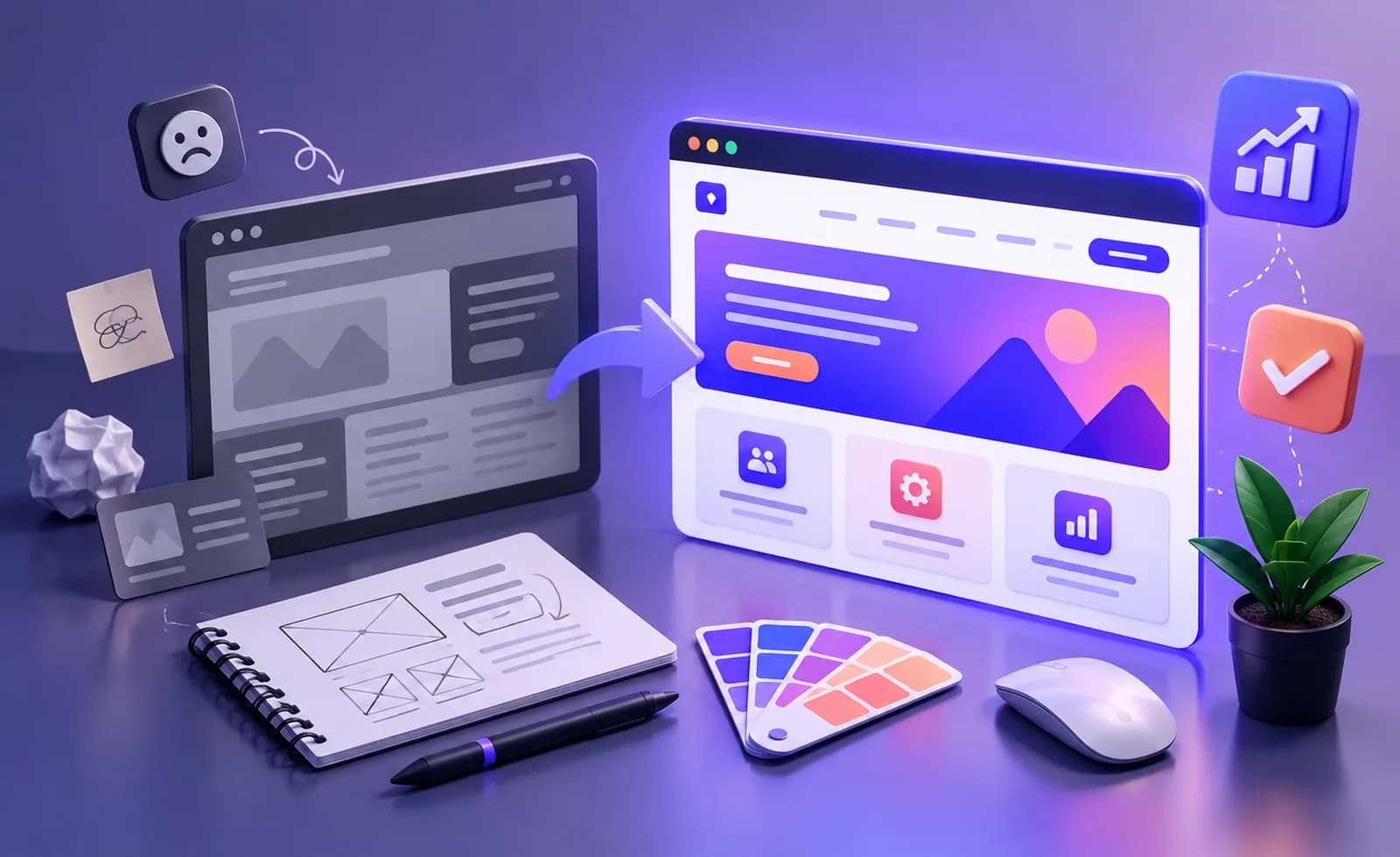
06When Should You Upgrade to a Professional Website?
Starting with a free website is a reasonable decision when you are testing an idea, building a personal portfolio or creating a simple online presence.
However, certain situations indicate that a more advanced solution may be necessary.
Consider upgrading when:
- You want to use a custom domain name.
- Your business needs a more distinctive visual identity.
- You want to generate qualified leads through your website.
- You need advanced SEO and performance optimization.
- You want to integrate CRM or ERP software.
- You plan to sell products or services online.
- You need advanced booking, payment or customer management features.
- Your website requires specific functionalities that free platforms cannot provide.
For businesses planning to sell online, a dedicated e-commerce website offers greater control over product catalogs, customer accounts, payments, inventory and order management. These capabilities can be implemented through professional e-commerce website development, with features adapted to the company's operational needs.
At this stage, the decision should not be based solely on the initial price. Consider the time required to manage the platform, its technical limitations and the impact these restrictions may have on your business.
Why Choose RKTEC Solution for Your Website Development Project?
Building a website with a free platform is a good way to get started. However, developing a professional digital presence requires more than choosing a template and publishing a few pages.
RKTEC Solution helps businesses turn their digital objectives into functional and scalable solutions.
Our services cover several areas:
- Custom website development: Websites designed around your business requirements, audience and objectives.
- Responsive web development: Interfaces adapted to smartphones, tablets and desktop computers.
- E-commerce development: Online stores with product catalogs, payment solutions and order management functionalities.
- SEO and digital marketing: Strategies designed to improve online visibility and attract relevant visitors.
- CRM and ERP solutions: Business tools that help organize customer relationships and internal operations.
Whether you need a corporate website, an online store or a more complex digital platform, the right technical approach can help you build a solution that grows alongside your business.
Ready to move beyond a free website?
Contact RKTEC Solution to discuss your project, identify the most suitable technologies and receive a proposal adapted to your requirements. Our team can help you move from an initial idea to a professional website designed for long-term development.
FAQ – How to create a free website step by step ?
Can I create a website for free without coding?
Yes. Platforms such as Wix, WordPress.com and Google Sites allow beginners to create websites without programming knowledge. They provide visual editors, ready-made templates and basic hosting. You can customize pages, add images, publish content and manage your website through an intuitive interface.
What is the best platform to create a free website?
The best platform depends on your objectives. Wix is suitable for beginners who want visual customization, WordPress.com is useful for blogs and content websites, while Google Sites works well for simple informational projects. Compare their free-plan limitations before choosing.
Can I create a free website with my own domain name?
Most free website builders provide a platform-specific subdomain rather than a custom domain. For example, your address may contain the platform's name. To use a personalized domain such as yourbusiness.com, you will generally need to purchase a domain and subscribe to a compatible paid plan.